
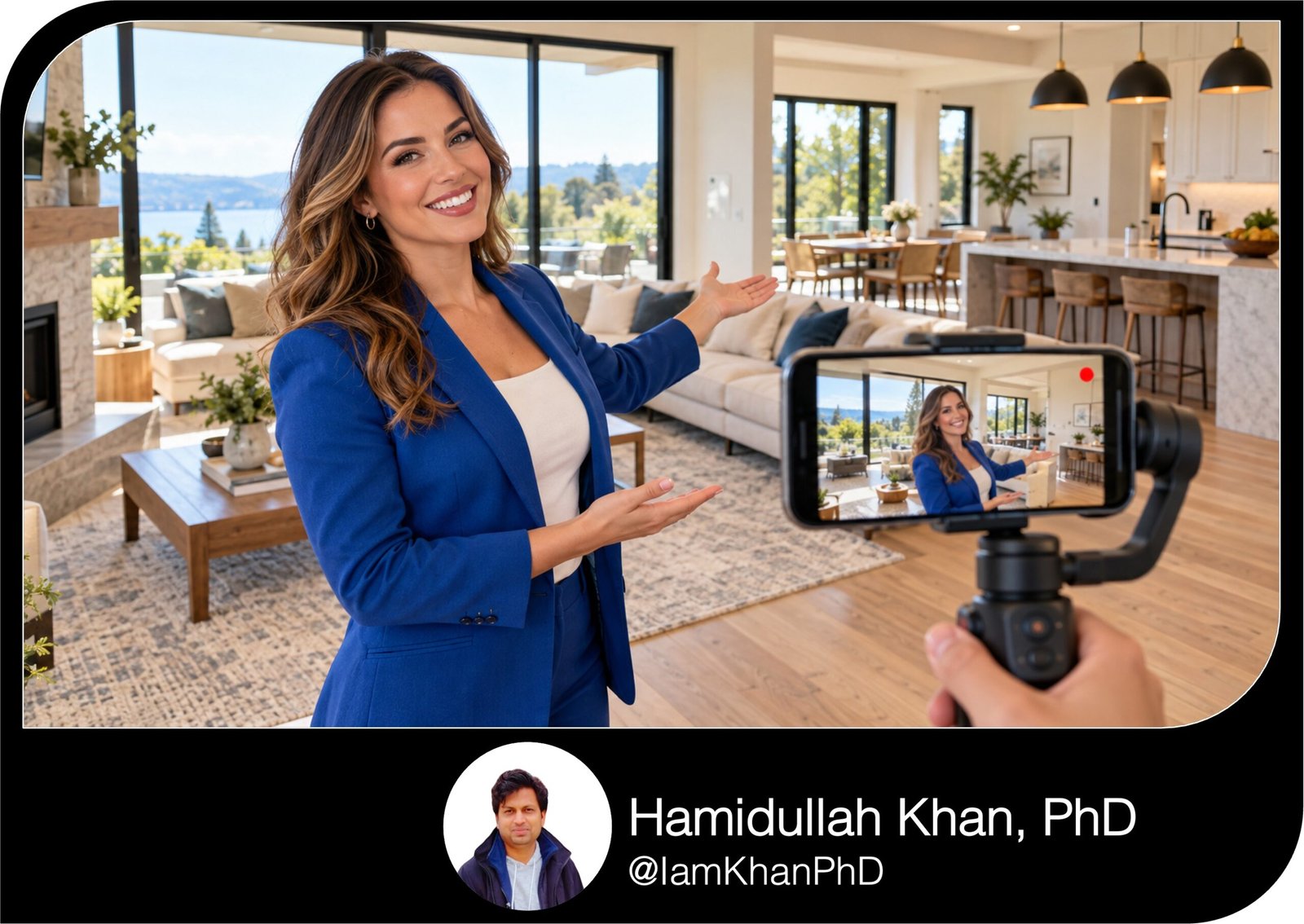
10 AI Prompts for Real Estate Walkthrough Video Scripts
Turn property details and footage notes into clear, engaging walkthrough video scripts with 10 detailed, editable AI prompts. Designed for real estate agents with basic AI experience, this pack covers short social videos, full tours, condos, vacant homes, luxury listings, fixer-uppers, and more.
What this prompt pack does
- Helps create property-specific scripts with hooks, room transitions, and clear calls to action.
- Requests camera directions, approximate timing, and on-screen text to guide filming and editing.
- Covers 10 practical walkthrough scenarios using editable fields for your listing details.
Tips for this prompt pack
- Add verified property facts and a clear description of your available footage.
- Choose one main feature to emphasize and one action you want viewers to take.
- Read the script aloud, adjust it to your voice, and check every property claim before recording.
How to use the prompt pack
- Select the prompt that best matches your property and video format.
- Replace the bracketed fields with your details, then paste the completed prompt into your AI tool.
- Review the output, request any revisions, and use the script and shot directions to prepare your video.
10 AI Prompts for Real Estate Property Walkthrough Video Scripts
Replace the text in [square brackets], then paste one prompt into your AI tool. If you don’t know a detail, write “not provided.” Each prompt works on its own.
1. Create a 60-second walkthrough for Instagram Reels
Act as a real estate video scriptwriter. Create a 60-second vertical property walkthrough that helps viewers understand the home’s strongest features and encourages them to request a showing. PROPERTY DETAILS • Property type and general location: [insert] • Verified bedrooms, bathrooms, and interior size: [insert] • Listing price, if I want it mentioned: [insert or omit] • Three standout features: [insert] • Available footage, in filming order: [e.g., front entrance → living room → kitchen → primary bedroom → backyard] • My speaking style: [friendly, energetic, relaxed, or professional] • Call to action: [DM “TOUR,” visit listing link, or contact me] • Contact details or account name: [insert] Start with a specific hook based on the strongest feature. Avoid generic openings such as “Welcome to your dream home.” Follow the footage order and explain why each featured detail is useful, using only the information I provide. Return a table with approximate timestamps, camera shot, exact spoken words, and short on-screen text. Keep the spoken script around 110–125 words to allow natural pauses. End with one clear call to action. Also provide three alternative hooks. Use plain language and short sentences I can comfortably say on camera. Do not invent property details, upgrades, neighborhood claims, or measurements. If a missing detail affects accuracy, list it separately for me to verify.
2. Write a complete 3-minute property tour
Act as a real estate walkthrough producer. Write a roughly 3-minute video script that gives viewers a clear understanding of the property’s layout, features, and room connections. MY INPUTS • Property type and general location: [insert] • Verified property facts: [bedrooms, bathrooms, size, price if included] • Room-by-room notes: [paste] • Walkthrough route: [list rooms in order] • How rooms connect: [e.g., entry opens into living room; kitchen connects to dining area] • Features deserving extra attention: [insert] • Features I do not have footage of: [insert] • Presentation format: [agent on camera, voiceover, or a combination] • Tone and final call to action: [insert] Organize the tour into an opening, room-by-room walkthrough, and closing. Allocate more time to the most useful features instead of giving every room equal attention. For each section, provide approximate duration, exact dialogue, camera directions, and a natural transition into the next space. Explain the layout clearly so viewers can follow the route without seeing a floor plan. Keep the dialogue around 330–380 words, with space for pauses and camera movement. Avoid repeating “beautiful,” “spacious,” and “amazing.” Describe observable features and their practical uses. Do not invent details or claim that an unseen room has a particular feature. Finish with a short pickup-shot checklist showing any additional footage needed to support the script.
3. Make a small home or apartment easier to understand
Act as a real estate scriptwriter who explains compact properties clearly. Create a 75-second walkthrough that shows how this home’s layout, storage, and usable spaces function without exaggerating its size. PROPERTY INPUTS • Property type and verified interior size: [insert] • Bedrooms and bathrooms: [insert] • Room dimensions, if verified: [insert] • Storage features: [closets, cabinets, built-ins, or other details] • Layout advantages: [insert] • Furniture currently visible: [insert] • Possible room uses supported by the layout: [insert] • A layout limitation viewers should understand: [insert] • Available footage and order: [insert] • Tone and call to action: [insert] Open with a specific feature that makes the layout worth viewing. Explain room connections, usable wall space, storage, and any flexible areas supported by my notes. Do not call the property “huge” or imply it has more usable space than the facts support. Clearly distinguish between an existing feature and an optional furniture arrangement. Do not say furniture will fit unless measurements support that statement. Return a timestamped script with spoken dialogue, camera directions, and brief on-screen labels. Include one factual sentence addressing the supplied layout limitation naturally. Also suggest three additional shots that would help viewers understand the space, such as a doorway-to-window view or an open-closet shot. Keep the spoken script around 135–155 words.
4. Give an empty property a useful story
Act as a real estate video scriptwriter. Create a 90-second walkthrough for a vacant property where empty rooms make the video feel repetitive. PROPERTY INFORMATION • Verified property facts: [insert] • Rooms in filming order: [insert] • Visible architectural features: [windows, ceiling details, flooring, alcoves, or other features] • Verified storage and room dimensions: [insert] • Suggested room uses I want to discuss: [insert] • Current condition and any unfinished areas: [insert] • Features to emphasize: [insert] • Available footage: [insert] • Voice and call to action: [insert] Give each room a distinct purpose in the story. Describe the actual space first, then offer one optional way someone could use or arrange it when my information supports that suggestion. Use phrases such as “You could arrange…” for possibilities. Do not describe furniture, staging, renovations, or amenities as existing when they are absent. Do not guarantee that particular furniture will fit without dimensions. Return a table with timestamps, exact dialogue, camera movement, and on-screen text. Keep the spoken script around 165–185 words. Add a filming checklist with five simple shots that make an empty property easier to understand. Favor room connections, windows, storage, and useful details over repeated wide shots. Avoid inventing light conditions or views that my notes do not confirm.
5. Script an occupied home with limited filming access
Act as a real estate walkthrough scriptwriter. Create a 60–75-second tour of an occupied home using only the areas and details approved for filming. APPROVED INFORMATION • Verified property facts: [insert] • Rooms I may film: [insert] • Rooms unavailable for filming: [insert] • Features I may show or mention: [insert] • Areas or objects that must stay off camera: [insert] • Filming limitations: [e.g., one short visit, no closet interiors, no moving belongings] • Available footage in order: [insert] • Agent presentation style: [insert] • Call to action: [insert] Build a coherent walkthrough using the approved footage. Write natural transitions when a room cannot be shown. You may mention a verified room that is unavailable to film, but do not describe its appearance or condition without supplied facts. Provide approximate timestamps, exact spoken dialogue, permitted camera framing, and short on-screen text. Keep the script around 115–145 words. Include a separate pre-filming checklist for avoiding personal photographs, documents, mail, security controls, and identifying belongings in the frame. Do not include residents’ names, schedules, or personal circumstances in the script. If an important feature cannot be shown, suggest a truthful alternative, such as an approved floor-plan insert or an invitation to see it during a showing.
6. Explain a condo’s unit and building features
Act as a real estate video scriptwriter. Create a 90-second condo walkthrough that clearly separates features inside the unit from shared building amenities. VERIFIED INPUTS • Unit facts: [bedrooms, bathrooms, size, floor, and price if included] • Interior features and footage order: [insert] • Balcony or terrace details, if any: [insert] • Parking details: [assigned, deeded, rented, or other verified arrangement] • Storage details: [insert] • Shared amenities I have confirmed: [insert] • Amenity access conditions or extra charges: [insert or not provided] • Association fee and verified inclusions, if I want them mentioned: [insert or omit] • Approved building footage: [insert] • Tone and call to action: [insert] Start with the unit’s strongest verified feature. Tour the interior first, then introduce the confirmed shared amenities. Use precise wording for parking, storage, and amenity access. Do not turn an assigned space into “owned parking” or imply a shared amenity belongs exclusively to the unit. Do not assume fees include utilities or that amenities are free to use. Return a timestamped script with exact dialogue, shot directions, and on-screen labels identifying “Inside the unit” and “Shared building amenities.” Keep the dialogue around 165–185 words. Finish with a short verification list for any missing fee, access, parking, or storage information that would affect the wording.
7. Show a fixer-upper honestly and constructively
Act as a real estate walkthrough scriptwriter. Create a 90-second video for a property that needs updates. Help viewers distinguish its current condition from possible future improvements. PROPERTY DETAILS • Verified property facts: [insert] • Existing features worth highlighting: [insert] • Visible areas needing attention: [insert] • Confirmed recent improvements: [insert] • Known issues I am authorized to mention: [insert] • Potential cosmetic changes to discuss: [insert] • Available footage and route: [insert] • Approved listing language: [paste if available] • Tone and call to action: [insert] Write an engaging but factual opening. Show the existing layout and useful features, then explain the supplied update opportunities in plain language. Clearly label suggestions as possibilities. Do not imply that removing a wall, adding a room, converting a space, or changing the use is feasible without verified supporting information. Do not invent renovation costs, approval requirements, completion dates, resale values, or returns. Return a timestamped table with exact dialogue, camera shots, and on-screen text. Keep the spoken script around 165–185 words. Include two alternative opening hooks and a “Verify before saying” list for unsupported renovation claims. Avoid minimizing known issues with phrases such as “just a quick fix” unless the scope has been confirmed.
8. Create a luxury tour without empty hype
Act as a real estate scriptwriter for high-end property videos. Create a 2-minute walkthrough with a calm, polished voice that explains the home’s quality through specific details. VERIFIED PROPERTY INFORMATION • Property facts and price, if included: [insert] • Architectural features: [insert] • Verified materials, finishes, and brands: [insert] • Distinctive craftsmanship details: [insert] • Indoor and outdoor features: [insert] • Verified views or setting: [insert] • Footage sequence: [insert] • Features that deserve a close-up: [insert] • Agent voice and final call to action: [insert] Build the story around three defining features. For each one, explain what it is, where it appears, and its practical or visual benefit when supported by my notes. Avoid strings of adjectives such as “stunning, exquisite, breathtaking.” Do not call materials custom, imported, handmade, rare, or premium unless I have confirmed those descriptions. Do not invent brand names or claim exclusivity. Return a table with approximate timestamps, exact dialogue, wide-shot directions, detail-shot directions, and restrained on-screen text. Keep the spoken script around 210–240 words to leave room for visual pauses. Also provide a 15-second opening teaser drawn from the same verified facts. End both versions with a clear invitation to arrange a private showing.
9. Highlight a backyard, acreage, or outdoor living area
Act as a real estate video scriptwriter. Create a 75-second walkthrough focused on the property’s outdoor spaces while connecting them to the interior. PROPERTY INPUTS • Verified property facts: [insert] • Verified lot size: [insert or not provided] • Outdoor features: [patio, deck, garden, pool, outbuilding, or other features] • How the interior connects to the outdoor area: [insert] • Existing landscaping and visible features: [insert] • Known outdoor limitations I want addressed: [insert] • Approved footage, including drone footage if available: [insert] • Verified details about structures or equipment: [insert] • Tone and call to action: [insert] Start with the strongest outdoor feature, then guide viewers from the interior access point through the outdoor spaces. Explain existing features and optional uses separately. Do not infer property boundaries from a fence, landscaping, or drone footage. Do not claim expansion potential, subdivision possibilities, pool installation feasibility, complete privacy, or permitted structures without verified information. Do not promise sunlight at other times of day based on one filming session. Return a timestamped script with exact dialogue, camera directions, and brief on-screen text. Keep the spoken words around 135–155. Add three helpful pickup shots and a separate list of details to verify before recording. Use only features and access routes supported by my notes.
10. Turn existing footage into a script that actually matches
Act as a real estate video editor and voiceover scriptwriter. Build a walkthrough script that matches footage I have already recorded. MY INPUTS • Platform and video orientation: [insert] • Target video length: [insert] • Clip list with durations: [e.g., entry: 4 seconds; living room: 8 seconds; kitchen: 10 seconds] • What each clip actually shows: [describe] • Verified property facts: [insert] • Main feature to emphasize: [insert] • Details I want mentioned but have no footage for: [insert] • Tone: [insert] • Call to action and contact information: [insert] First, review whether the supplied clips can support the target length. Then recommend a sequence and write dialogue that fits the visible content. Return an editing table with clip order, approximate timeline position, exact voiceover, on-screen text, and transition notes. Keep the dialogue short enough for natural delivery and allow time for opening and closing graphics. Do not describe a feature while unrelated footage is on screen. Where a verified detail lacks footage, suggest a clearly labeled text card, an approved image, a pickup shot, or removing that line. Provide two versions: one following my original clip order and one using your recommended sequence. Finish with three specific editing fixes based on my clip list. Treat timing as approximate and flag sections that need a recorded read-through.

About author






Add comment